Colab joins Google AI plans, but price case is unresolved
Google AI subscribers are getting premium Colab benefits; the solo-builder value depends on your workload and current stack.
Short answerChoose Google AI for Colab only if you also value the wider Google AI bundle; cheapest compute is not proven here.
By JasonPublished Oct 1, 2026Last verified Oct 1, 20264 min read
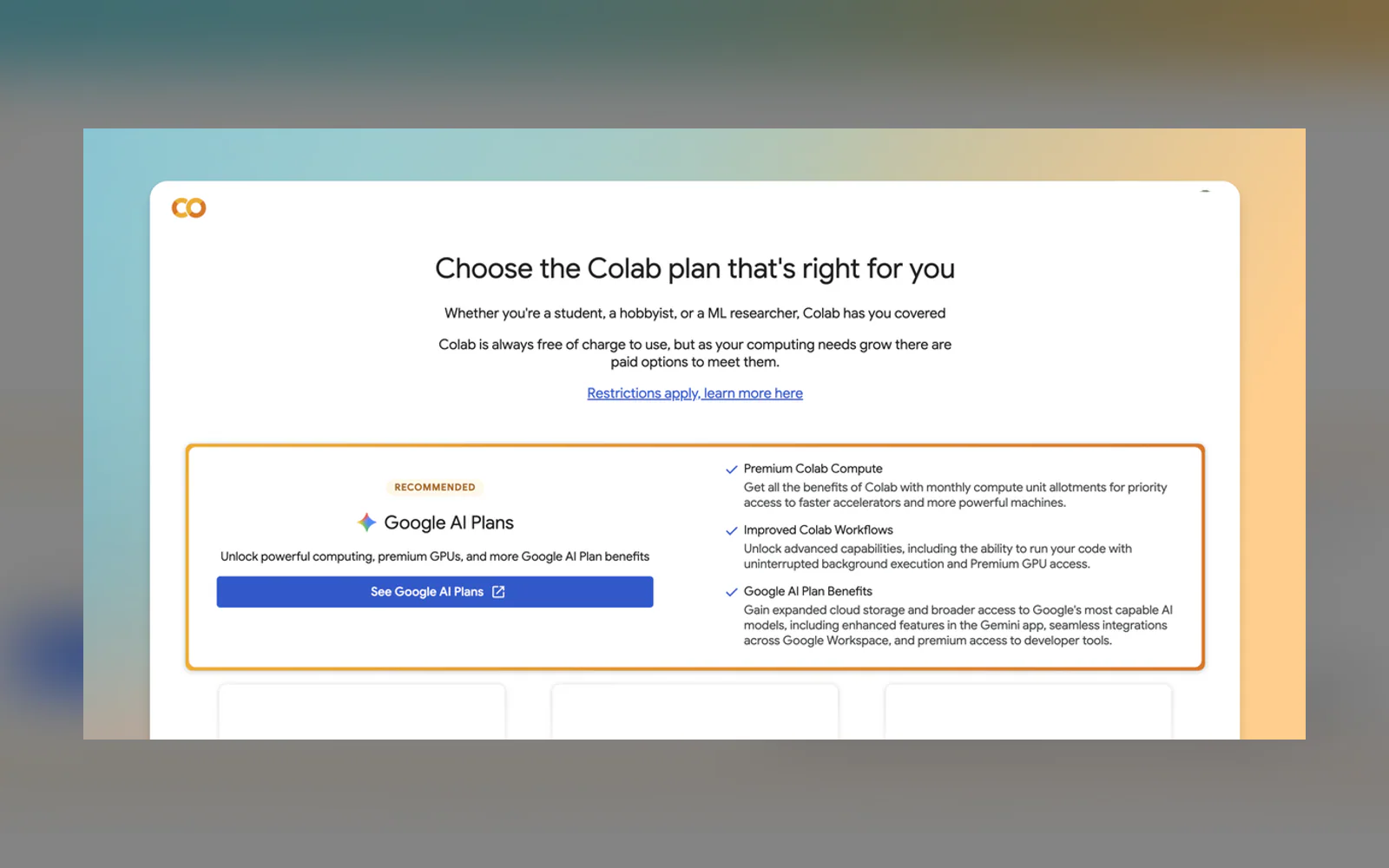
Solo builders who use notebooks for model experiments, data work, or prototype training now have a new subscription question: should Colab premium compute be bought through a Google AI plan instead of a separate Colab subscription or another GPU provider? Google says AI subscribers now receive premium Colab benefits, including priority access to faster accelerators and more powerful machines. Google AI Ultra subscribers also get uninterrupted background execution and Premium GPU access, which matters if a run should continue without an open browser tab. But the supplied source does not include plan prices, compute quotas, accelerator types, usage caps, or a side-by-side comparison with Colab-only subscriptions, Kaggle notebooks, RunPod, Lambda, or other cloud GPU options. That means the core reader question — whether a Google AI plan is now the cheapest route to premium Colab compute — cannot be answered from this source alone. The practical decision is narrower: if you already value Google AI plan features beyond Colab, the added Colab benefits may improve the bundle. If your only need is raw GPU time at the lowest price, the announcement is not enough evidence to switch.
What changed
According to Google Developers Blog, Google AI subscribers are now getting premium Google Colab benefits. Google describes those benefits as priority access to faster accelerators and more powerful machines.
Google AI Ultra subscribers get two extra items named in the announcement: uninterrupted background execution and Premium GPU access. The background-execution point is the most concrete workflow change in the source because it targets long training runs that should continue without leaving a browser tab open.
Google also says existing Colab subscribers do not need to change their subscription, and that Google AI subscription benefits can be stacked for additional access to premium Colab features. The rollout is happening over the next few weeks in countries where Colab is supported.

What this does not answer
The announcement does not include the pricing or quota details needed to decide whether a Google AI plan is the cheapest way to get premium Colab compute. It also does not list exact GPU models, included hours, compute-unit math, idle limits, or how priority access behaves under demand.
That matters because the buying question for indie builders is usually not “which bundle has more features?” It is “what is the least painful way to finish this notebook run without overpaying?” A bundle can be rational if you already use the other included Google AI features. It can also be a poor fit if you only need occasional raw GPU access and do not care about Gemini app features, Workspace integrations, AI Studio, or Antigravity access.
Decision frame
If you already pay for, or were close to paying for, a Google AI plan, the Colab addition improves the value of that plan. You would be getting notebook compute benefits alongside broader Google AI access rather than treating Colab as a totally separate purchase.
If you already subscribe to Colab, Google says there are no changes, and that benefits can stack. That means the immediate action is not cancellation; it is checking whether your existing Colab setup plus a Google AI subscription would duplicate, extend, or simplify what you already pay for.
If your only goal is the lowest-cost GPU for training or batch jobs, the supplied source is too thin. You still need current pricing and limits from Colab, Google AI plans, and alternative GPU providers before making a cost call.
Benchdict bottom line
This is meaningful for builders who want one Google-centered subscription covering notebooks plus adjacent AI tools. It is not enough evidence to crown Google AI as the cheapest route to premium Colab compute.
Our read: this is a bundling move, not yet a clear cheapest-compute answer. Google’s announcement makes the Google AI subscription more relevant to builders who already live in Colab, Gemini, Workspace, AI Studio, or Antigravity. The useful part is not the branding; it is that Colab benefits are now attached to a broader Google AI plan, and Ultra gets background execution plus Premium GPU access. For notebook-heavy solo builders, that could reduce the number of separate subscriptions they manage. But the announcement does not give the numbers needed for a cost verdict: no exact plan prices, no included compute units, no accelerator inventory, no queue behavior, and no comparison with Colab’s standalone plans or public GPU rental services. So the safe editorial answer is conditional. Treat this as a reason to re-check your subscription stack, not as proof that Google AI is now the lowest-cost GPU path.
Choose Google AI for Colab only if you also value the wider Google AI bundle; cheapest compute is not proven here.
Google’s own announcement shows that Colab premium benefits are now part of Google AI subscriptions, with extra Ultra benefits for background execution and Premium GPU access. But it does not provide enough pricing or quota detail to answer the cheapest-compute question.
Skip switching on this news alone if you only need occasional raw GPU time, already have a Colab setup that works, or require exact cost-per-run math before changing subscriptions.
Read next
Follow new articles
Email updates are not live yet, and we are not collecting addresses. To follow new articles, use the RSS feed.